
Follow these steps to apply your discount and save on your booking. First choose your time from our
Booking Calendar
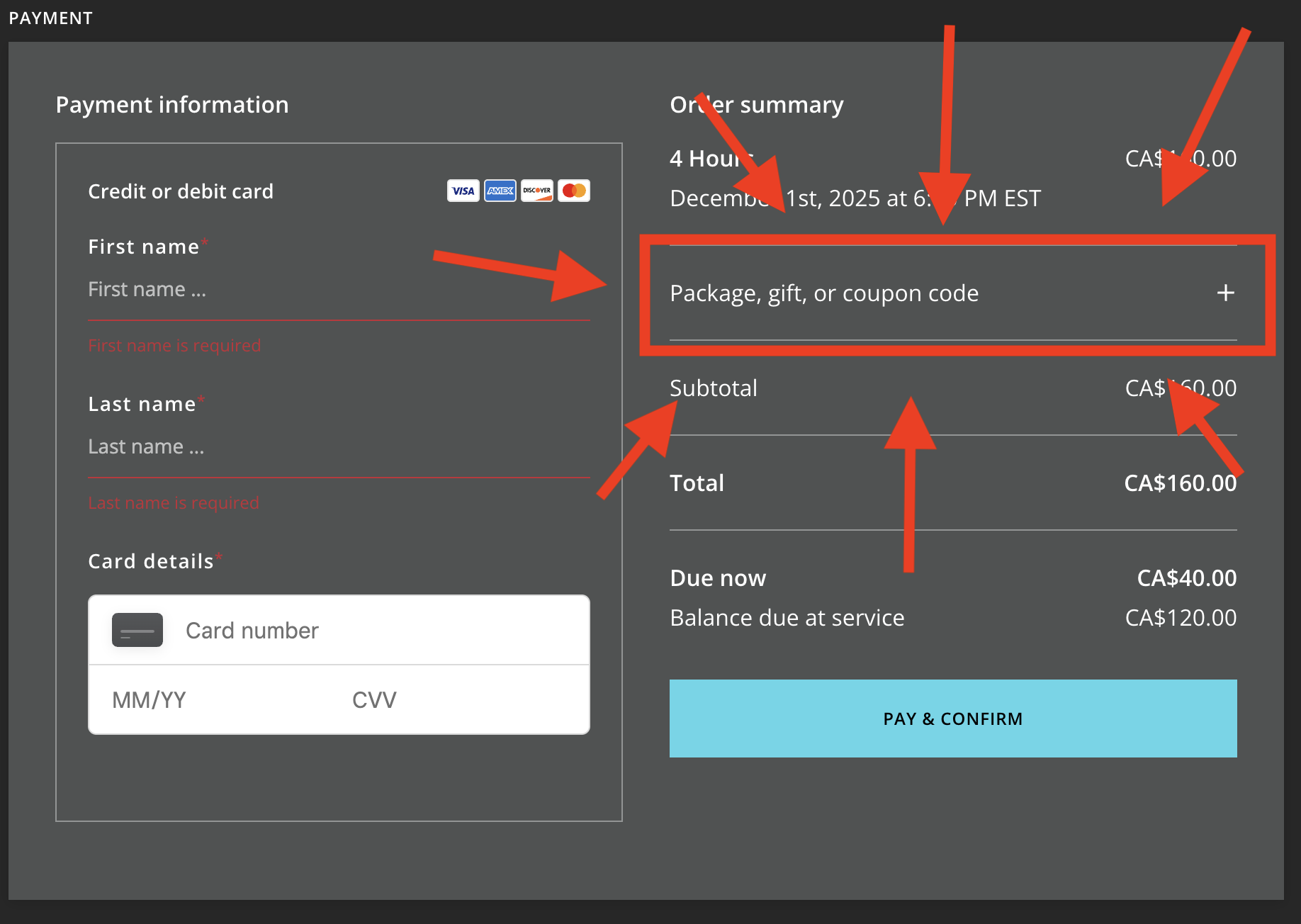
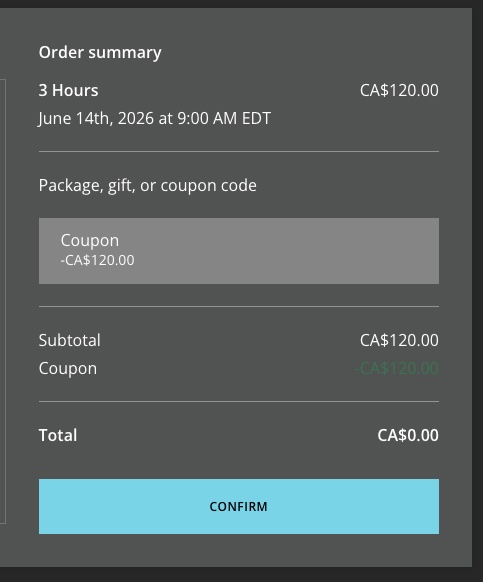
Complete the intake form for your booking. Proceed to the payment screen by clicking the "Pay Deposit" button. At the checkout screen, click "Package, gift, or coupon code" as shown below and enter your coupon code. After typing your code, press enter. You will then see your discount applied to the total. Do not proceed if you do not see a coupon amount on the screen! Contact us if you have issues.
How to Use Your Discount Code
Choose Your Time
Fill Out the Intake Form
Click Pay Deposit
Enter Your Code
Apply Your Code
Discount Codes
1
2
3
4
5